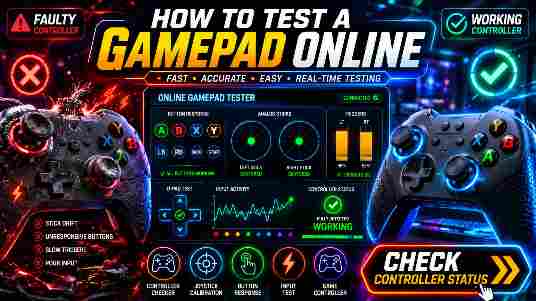
Modern game controllers contain multiple buttons, triggers, joysticks, and directional inputs that must work correctly for a smooth gaming experience. If a controller starts missing inputs, suffering from stick drift, or failing to respond, gameplay can become frustrating.
A Gamepad Tester helps identify these issues quickly by testing every controller input directly in your browser.
This guide explains how to test a gamepad online, what a Gamepad Tester does, and how to troubleshoot common controller problems.
What Is a Gamepad Tester?
Direct Answer
A Gamepad Tester is an online tool that checks whether a controller’s buttons, triggers, joysticks, and directional inputs are functioning correctly.
It provides real-time feedback whenever you press a button or move a joystick.
Why Should You Test Your Gamepad?
Regular testing helps identify problems before they affect gameplay.
Benefits include:
- Detecting faulty buttons
- Finding stick drift issues
- Checking trigger responsiveness
- Verifying joystick accuracy
- Improving gaming performance
What Can a Gamepad Tester Check?
| Controller Component | What It Tests |
|---|---|
| Face Buttons | Input registration |
| Triggers | Pressure response |
| Joysticks | Movement accuracy |
| D-Pad | Direction detection |
| Shoulder Buttons | Click functionality |
| Analog Sticks | Dead zones and drift |
How to Test a Gamepad Online
Testing a controller is simple.
Step 1: Connect Your Controller
Connect your gamepad using:
- USB cable
- Bluetooth connection
- Wireless adapter
Step 2: Open a Gamepad Tester
Launch the Gamepad Tester tool in your browser.
Step 3: Press Every Button
Check:
- A, B, X, Y buttons
- Shoulder buttons
- Start and Select buttons
Each input should appear instantly.
Step 4: Test Triggers
Press both triggers slowly.
Verify:
- Smooth response
- Full input range
- No delay
Step 5: Move the Joysticks
Rotate each analog stick fully.
Check for:
- Accurate movement
- No dead zones
- No stick drift
Step 6: Review Results
Look for missing inputs, delayed responses, or unexpected movements.
Common Gamepad Problems
| Problem | Possible Cause |
|---|---|
| Unresponsive Button | Hardware wear |
| Trigger Delay | Driver issue |
| Stick Drift | Worn analog stick |
| Random Inputs | Controller malfunction |
| Input Lag | Connection problem |
How to Detect Stick Drift
Stick drift occurs when the joystick sends movement signals even when untouched.
Symptoms
- Character moves automatically
- Camera rotates unexpectedly
- Cursor drifts on menus
A Gamepad Tester can instantly reveal stick drift by displaying unwanted joystick movement.
Benefits of Using an Online Gamepad Tester
No Installation Required
Works directly in your browser.
Fast Results
Testing takes only a few minutes.
Free to Use
Most Gamepad Tester tools are completely free.
Supports Multiple Controllers
Compatible with many modern controllers.
Gamepad Tester vs Manual Testing
| Feature | Gamepad Tester | Manual Testing |
|---|---|---|
| Button Detection | Accurate | Limited |
| Stick Drift Detection | Yes | Difficult |
| Trigger Analysis | Yes | Limited |
| Speed | Fast | Slow |
Frequently Asked Questions
What is a Gamepad Tester?
A Gamepad Tester is an online tool that checks controller buttons, triggers, joysticks, and directional inputs.
Can I test a controller online?
Yes. Most modern browsers support online gamepad testing tools.
Can a Gamepad Tester detect stick drift?
Yes. It can show unwanted joystick movement in real time.
Does a Gamepad Tester work with wireless controllers?
Yes, as long as the controller is connected properly.
Is Gamepad Tester free?
Most Gamepad Tester tools are completely free to use.
Conclusion
A Gamepad Tester is one of the easiest ways to verify controller performance. Whether you want to test buttons, triggers, joysticks, or identify stick drift, online testing tools provide fast and accurate results.
Regular controller testing helps maintain better gaming performance and prevents frustrating gameplay issues.